# Getting a QR-Code

There are several ways to get a QR-code to enter the university territory.

#### **"Home" Section**

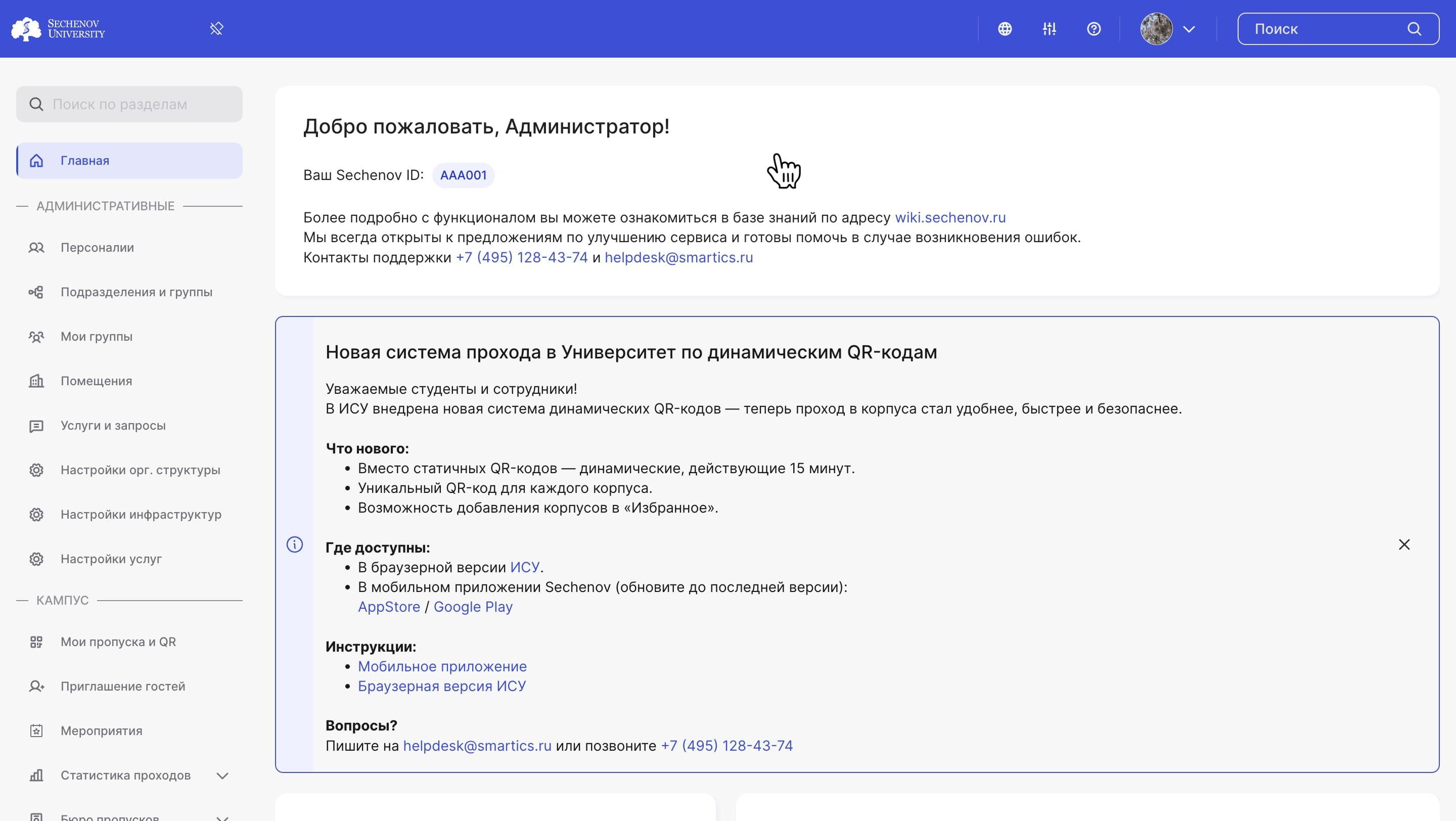
1\. On the home page, you will find **information about the new dynamic QR code system.**
<div id="bkmrk-"><div>![](https://assets.guidejar.com/uploads/831d1131-3ebb-44bd-8b11-be2e614bc614/s4g92dXSnmhRgriBHqJpLBNadHI2/35b5efa6-b0d6-4fe0-8251-6d7c49d548fd/annotated/1751290452045.jpeg)</div><div>  
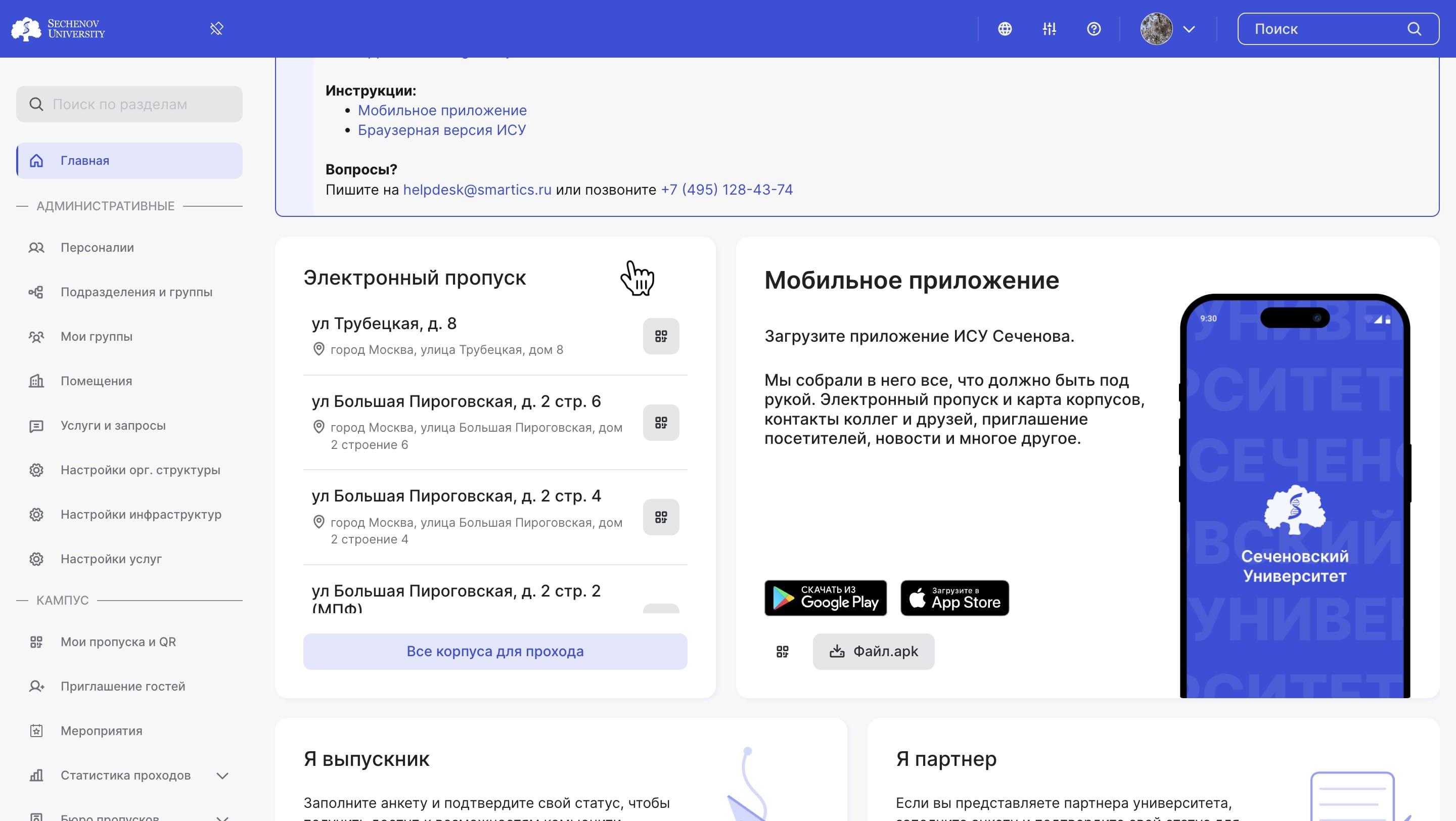
</div></div>2\. In the **"Electronic Pass"** block, you can see all the addresses you are allowed to access, along with the corresponding QR codes. Please note that a **unique QR code is generated for each address.**

<div id="bkmrk--1"><div>![](https://assets.guidejar.com/uploads/831d1131-3ebb-44bd-8b11-be2e614bc614/s4g92dXSnmhRgriBHqJpLBNadHI2/37d91075-1958-49cb-b98e-0ceab7d33db6/annotated/1751290452096.jpeg)</div>  
<div>  
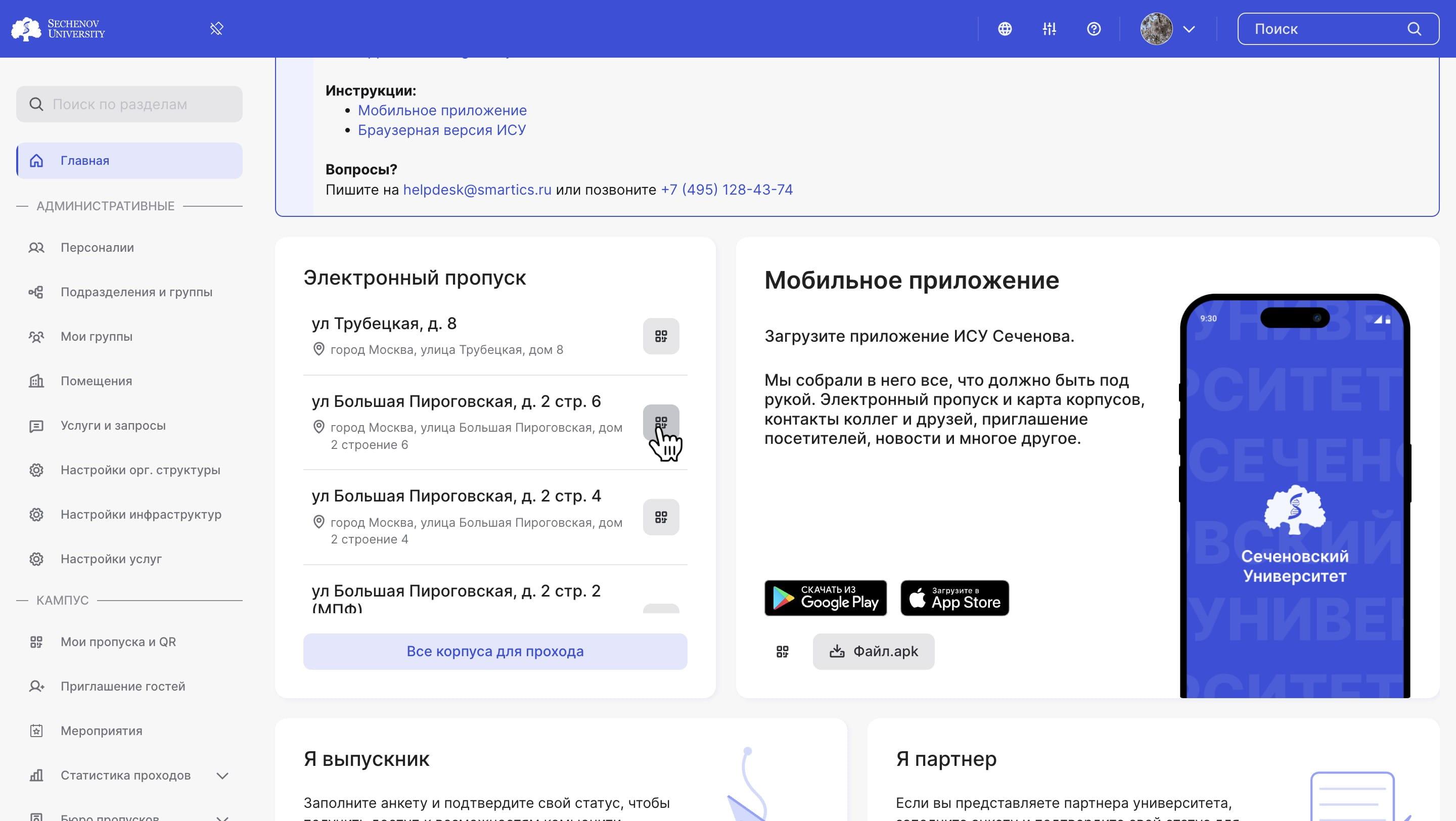
</div></div>3\. Select the desired address and click the **"QR Code" button.**

<div id="bkmrk--2"><div>![](https://assets.guidejar.com/uploads/831d1131-3ebb-44bd-8b11-be2e614bc614/s4g92dXSnmhRgriBHqJpLBNadHI2/fe056438-db2d-471a-8112-623e939c4f73/annotated/1751290452019.jpeg)</div>  
<div>  
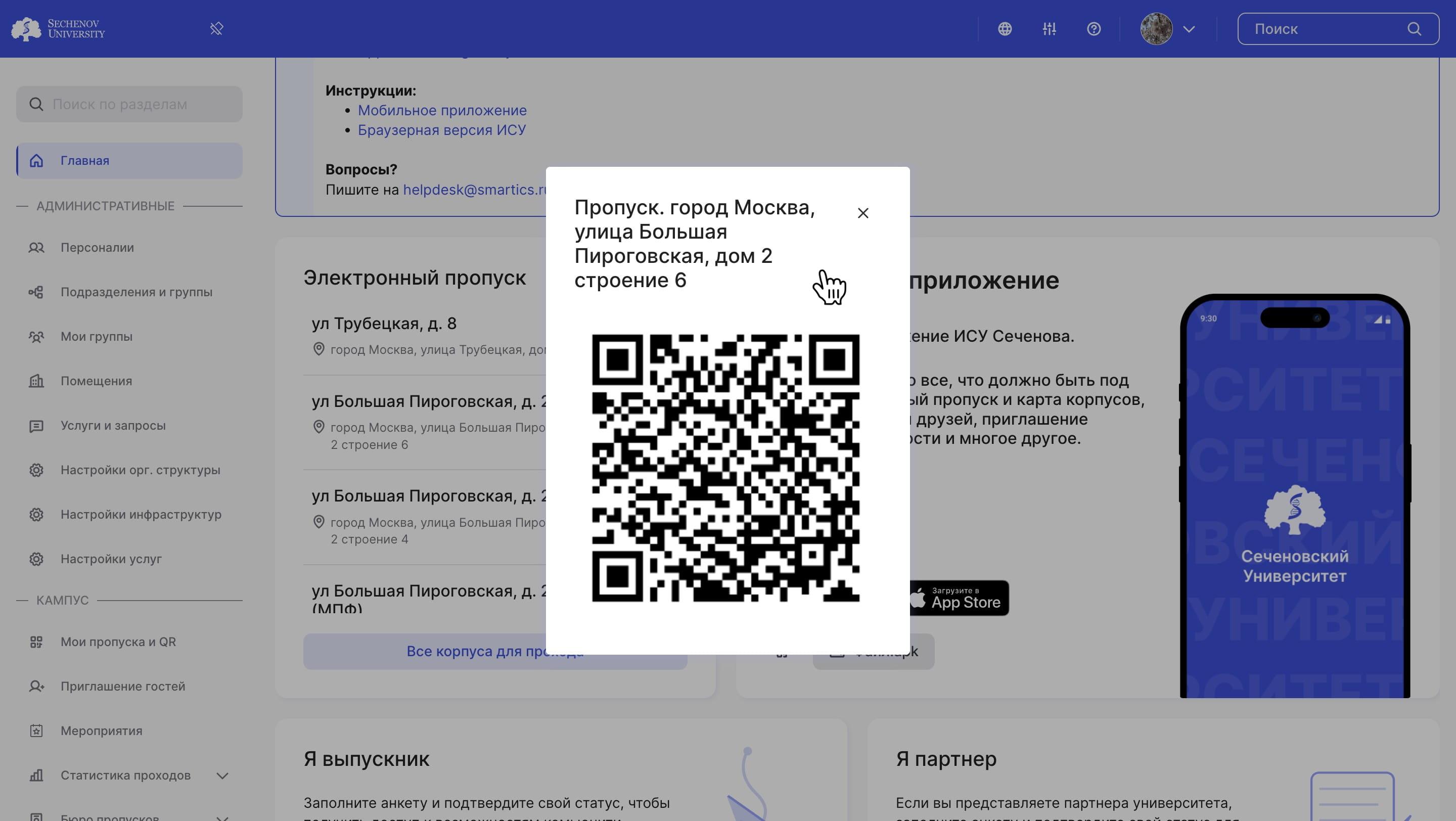
</div></div>4\. The system will generate a QR code that grants access to **the selected location.**

<div id="bkmrk-%D0%A0%D0%B0%D0%B7%D0%B4%D0%B5%D0%BB-%C2%AB%D0%9C%D0%BE%D0%B8-%D0%BF%D1%80%D0%BE%D0%BF%D1%83%D1%81%D0%BA%D0%B0"><div>![](https://assets.guidejar.com/uploads/831d1131-3ebb-44bd-8b11-be2e614bc614/s4g92dXSnmhRgriBHqJpLBNadHI2/24792b03-0fff-44e5-80be-581fc9372b7b/annotated/1751290452149.jpeg)</div>  
</div>#### **"My Passes and QR Codes" Section**

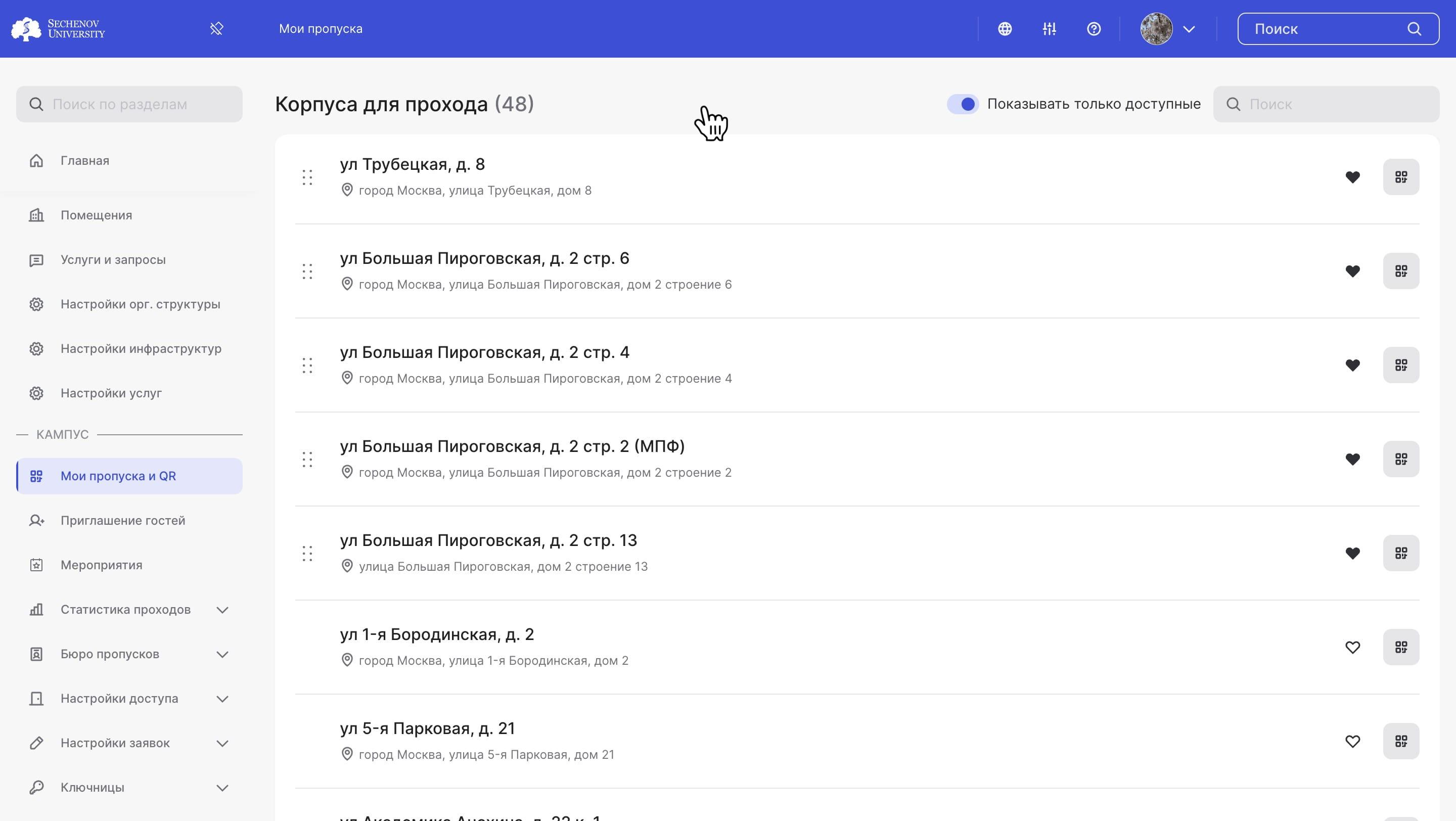
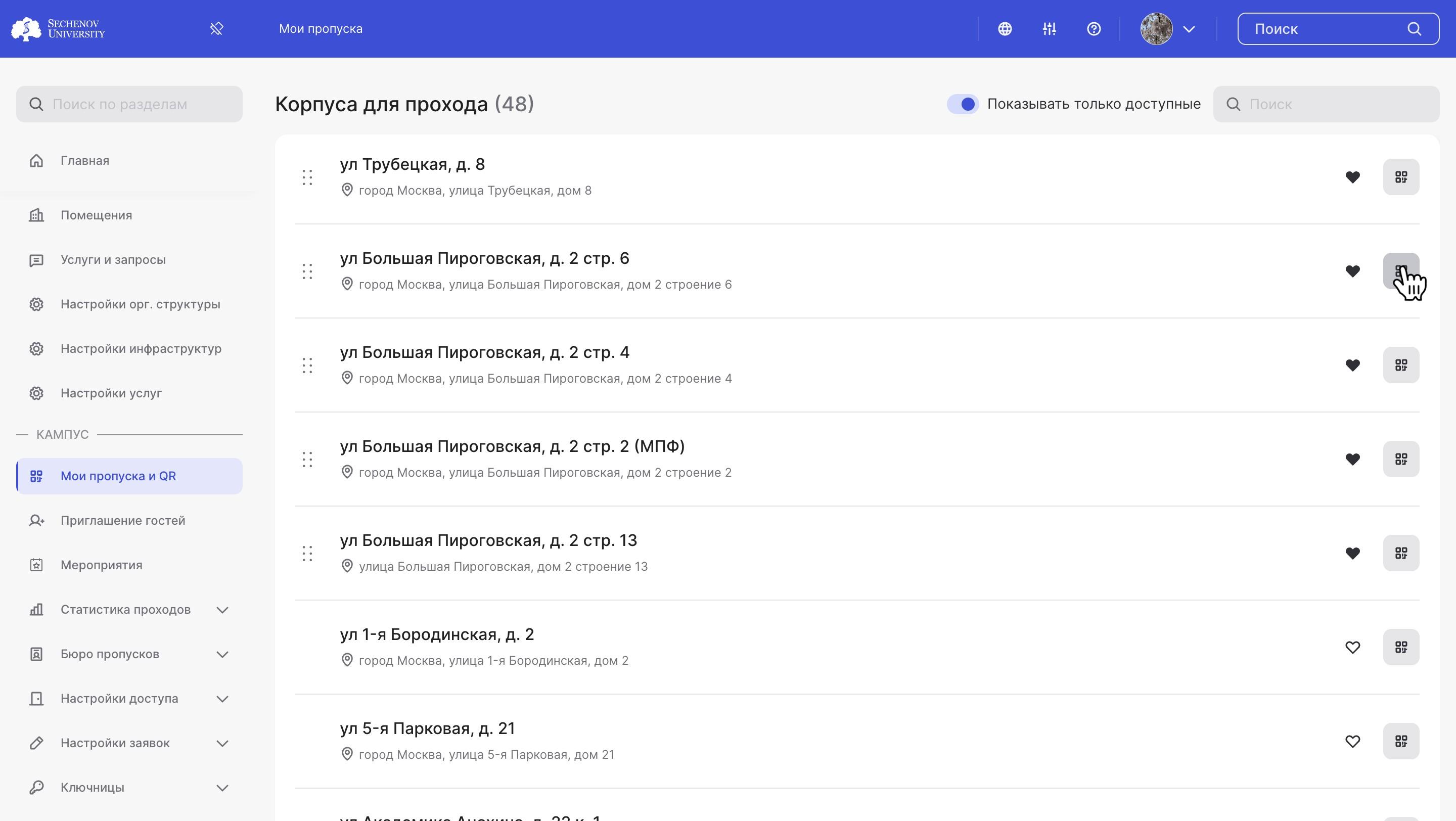
1\. You can also find your access QR codes in the **"My Passes and QR Codes"** section.

<div id="bkmrk--3"><div>![](https://assets.guidejar.com/uploads/831d1131-3ebb-44bd-8b11-be2e614bc614/s4g92dXSnmhRgriBHqJpLBNadHI2/ff87ffd1-e85c-415c-a44b-a89c7e1741a4/annotated/1751290452070.jpeg)</div>  
<div>  
</div></div>2\. Select the desired address and click the **"QR Code" button.**

<div id="bkmrk--4"><div>![](https://assets.guidejar.com/uploads/831d1131-3ebb-44bd-8b11-be2e614bc614/s4g92dXSnmhRgriBHqJpLBNadHI2/237baa6a-b7c2-4c4e-8cba-e1d07d6736f8/annotated/1751290451978.jpeg)</div>  
<div>  
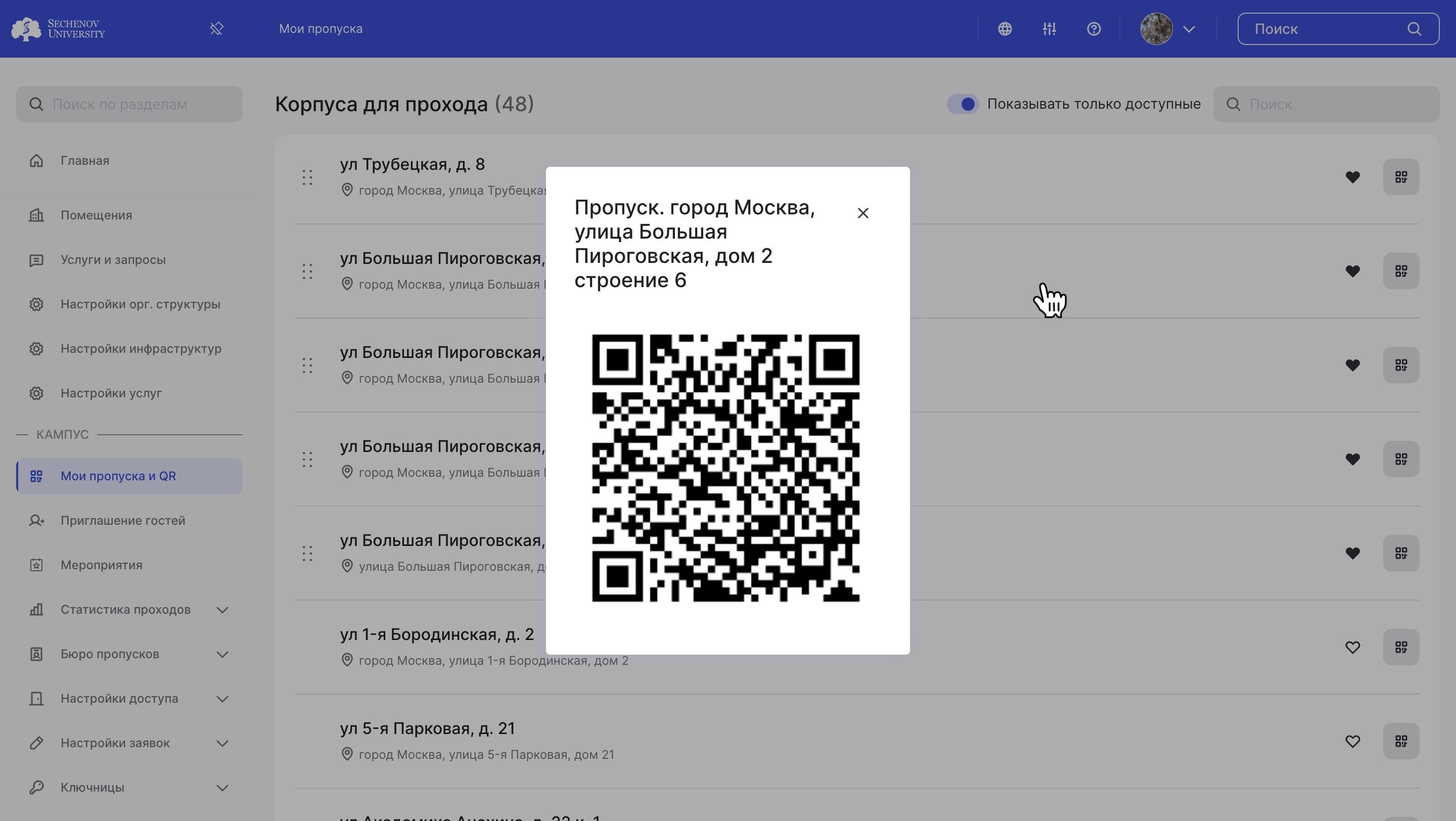
</div></div>3\. The system will generate a QR code for entry to **the selected address.**

<div id="bkmrk--5"><div>![](https://assets.guidejar.com/uploads/831d1131-3ebb-44bd-8b11-be2e614bc614/s4g92dXSnmhRgriBHqJpLBNadHI2/2640df95-0c32-41b5-bc81-ebacf1d8368d/annotated/1751290452122.jpeg)</div></div><div id="bkmrk--6"></div>#### **Video Tutorial**

<div id="bkmrk--7"></div><div id="bkmrk--8"><video controls="controls" height="420" style="width: 840px; height: 420px;" width="840"> <source src="https://s3.isu.sechenov.ru/instructions/%D0%94%D0%B8%D0%BD%D0%B0%D0%BC%D0%B8%D1%87%D0%B5%D1%81%D0%BA%D0%B8%D0%B5%20QR.%20%D0%98%D0%A1%D0%A3.mov"></source></video></div>