# How to Find Your Corporate Email at Sechenov University

#### Corporate emails are in the domains <span class="s1">@student</span>.sechenov.ru or <span class="s1">@staff</span>.sechenov.ru

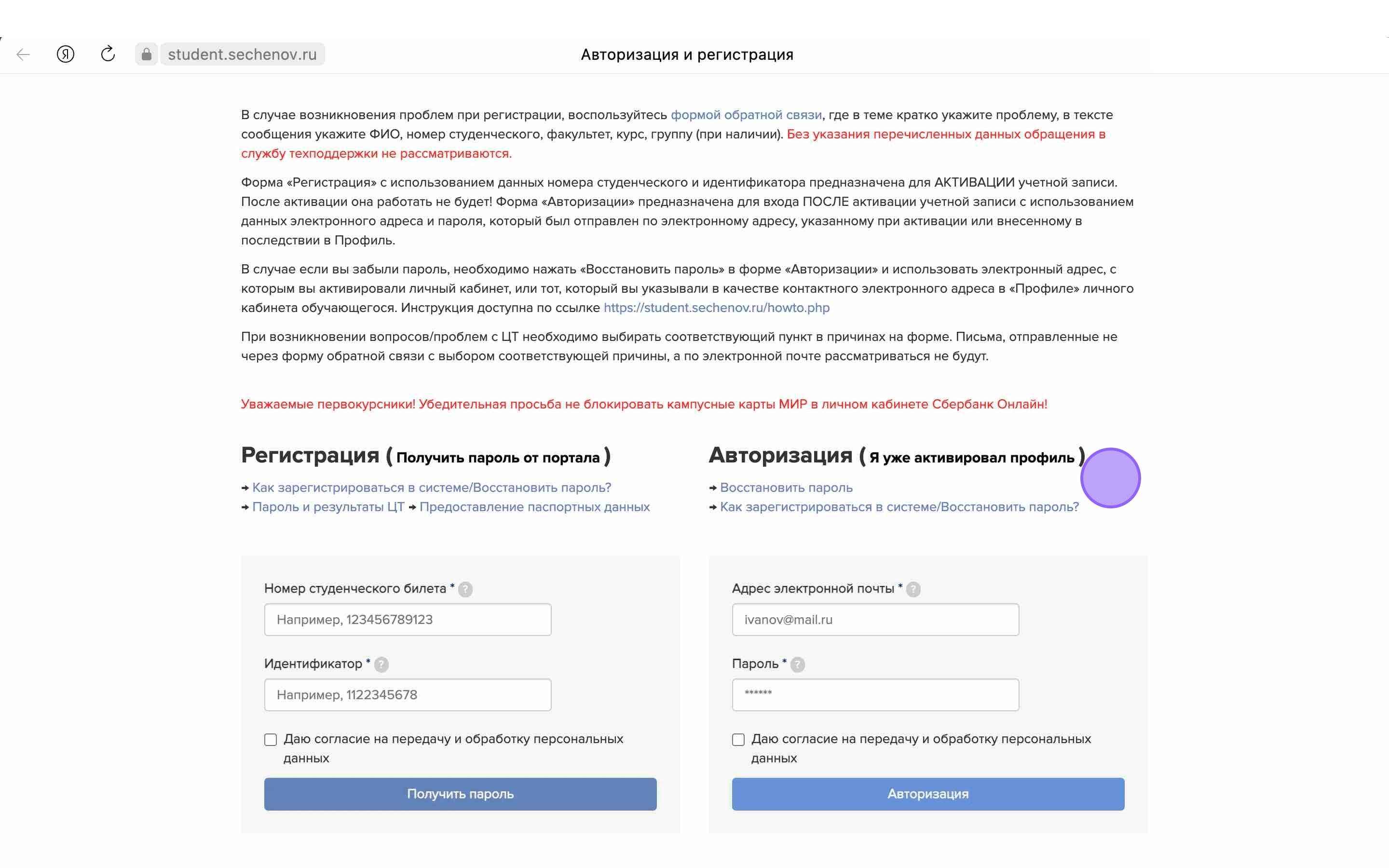
1\. First, go to the **University’s Information System** at: [ https://student.sechenov.ru/auth.php ](https://student.sechenov.ru/auth.php)
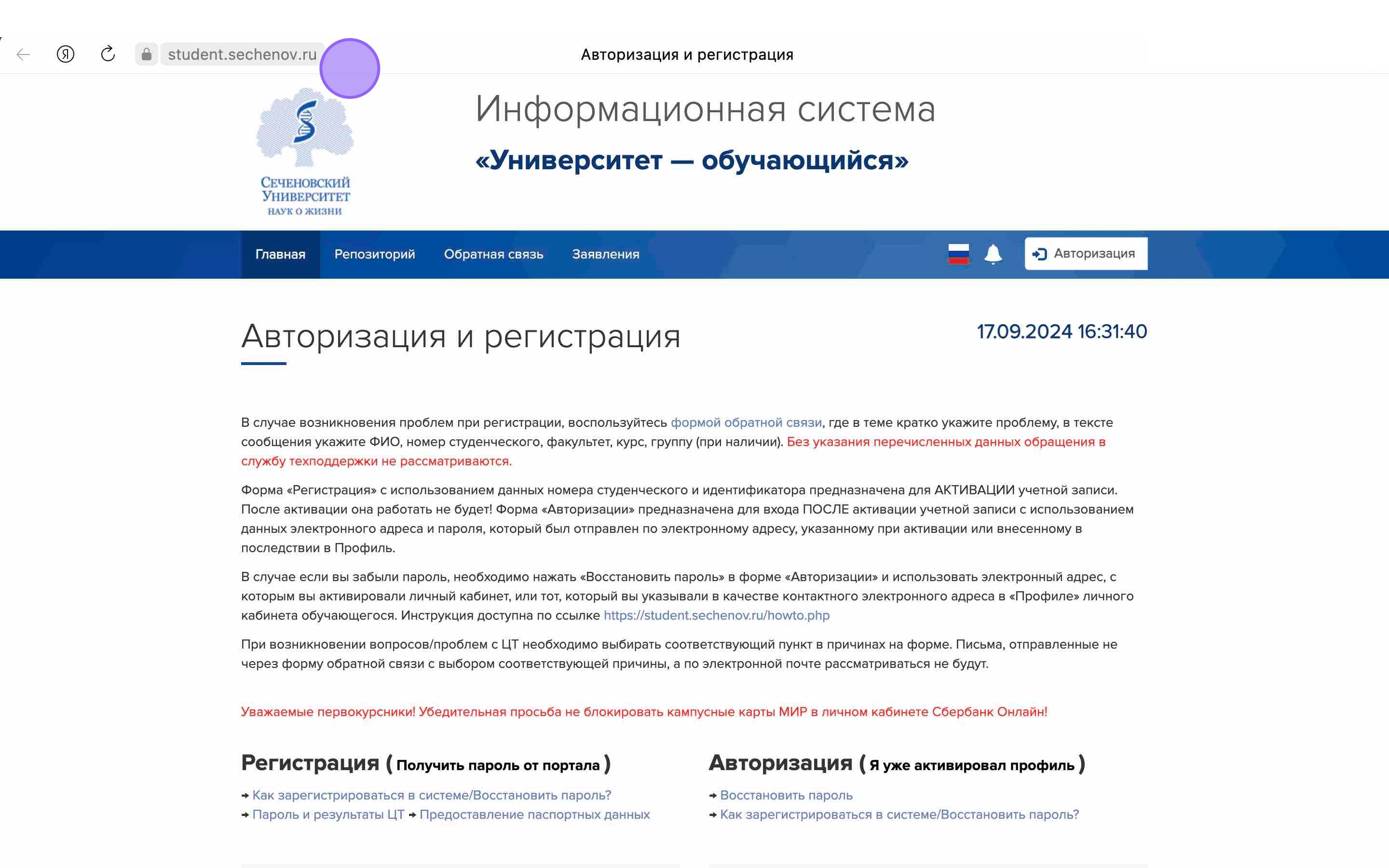
<div id="bkmrk-"><div>![](https://assets.guidejar.com/uploads/2F895BAC-7C71-43CA-A308-EED4287D1A39/s4g92dXSnmhRgriBHqJpLBNadHI2/49E478E5-2729-468A-819B-70A56A03C58F/annotated/1728901856254.jpeg)</div><div>  
</div></div>2\. **Log in** to the system.

<div id="bkmrk--1"><div>![](https://assets.guidejar.com/uploads/2F895BAC-7C71-43CA-A308-EED4287D1A39/s4g92dXSnmhRgriBHqJpLBNadHI2/FE982A6E-571C-4A8C-B7BF-75EEA9F9EEF3/annotated/1728901855119.jpeg)</div><div>  
</div></div>3\. Enter your **email address** (linked to the Sechenov University Information System), **password**, check the box **"I agree to the processing of my personal data"**, and click **"Login".**

<div id="bkmrk--2"><div>[![Frame 9.png](https://s3.isu.sechenov.ru/bookstack/uploads/images/gallery/2024-10/scaled-1680-/frame-9.png)](https://s3.isu.sechenov.ru/bookstack/uploads/images/gallery/2024-10/frame-9.png)</div><div>  
</div></div>4\. Once logged in, go to the **"Profile"** tab.

<div id="bkmrk--3"><div>![](https://assets.guidejar.com/uploads/2F895BAC-7C71-43CA-A308-EED4287D1A39/s4g92dXSnmhRgriBHqJpLBNadHI2/1B8EF356-439C-4062-992C-3D4CB2614591/annotated/1728901854583.jpeg)</div><div>  
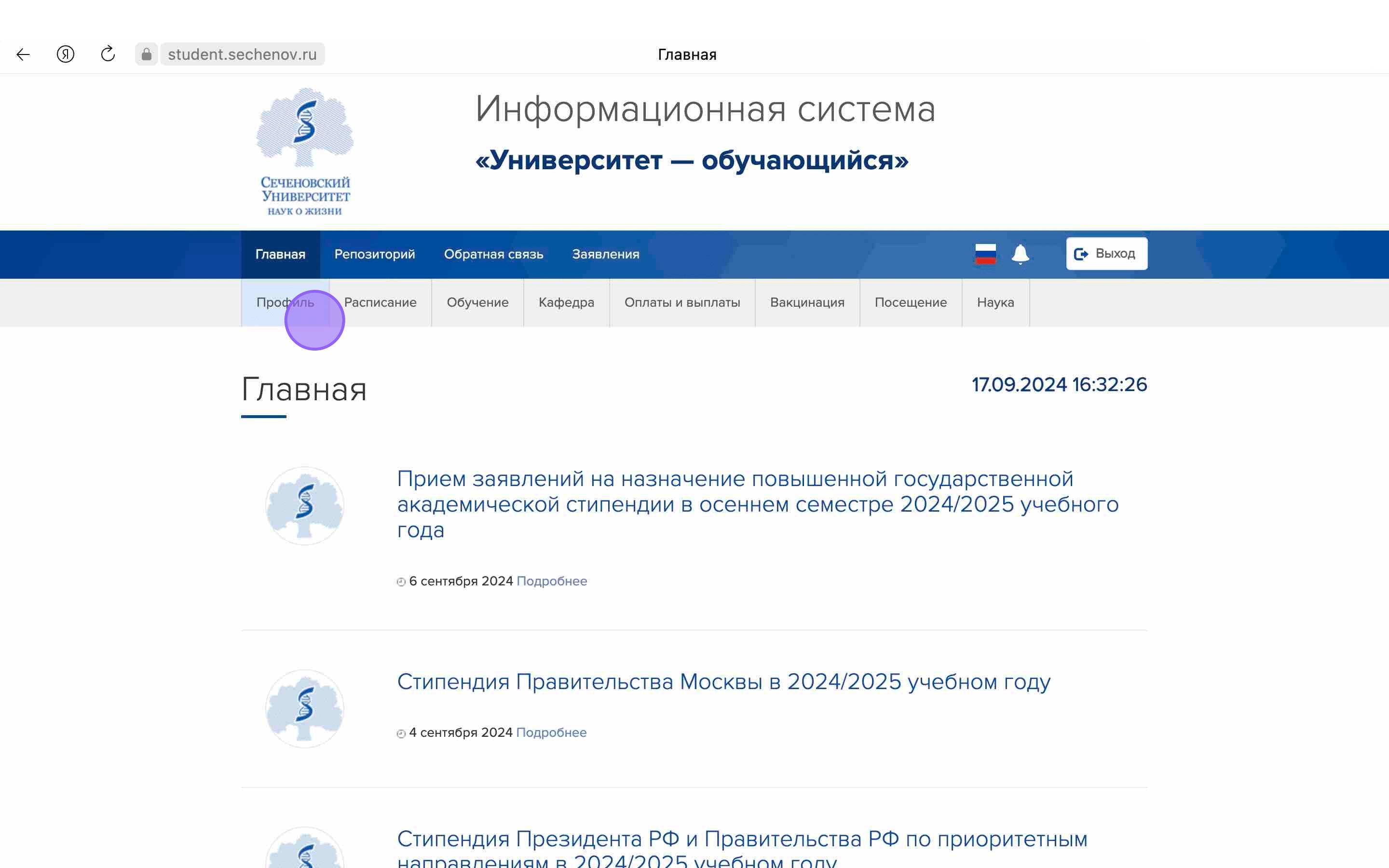
</div></div>5\. In your profile, you will find information about the email address linked to the system as well as your **corporate email.**

In the **"Email account login"** section, you will see part of your corporate email address. To complete it, add the corporate domain: **<span class="s1">@student</span>.sechenov.ru** (for students) or **<span class="s1">@staff</span>.sechenov.ru** (for staff).

<div id="bkmrk--4"><div>[![Frame 11.png](https://s3.isu.sechenov.ru/bookstack/uploads/images/gallery/2024-10/scaled-1680-/frame-11.png)](https://s3.isu.sechenov.ru/bookstack/uploads/images/gallery/2024-10/frame-11.png)</div><div>  
</div></div>6\. To access your corporate email, click **the link** shown in the **"Email account login"** section.

<div id="bkmrk--5"><div>[![Frame 8.png](https://s3.isu.sechenov.ru/bookstack/uploads/images/gallery/2024-10/scaled-1680-/frame-8.png)](https://s3.isu.sechenov.ru/bookstack/uploads/images/gallery/2024-10/frame-8.png)</div><div>  
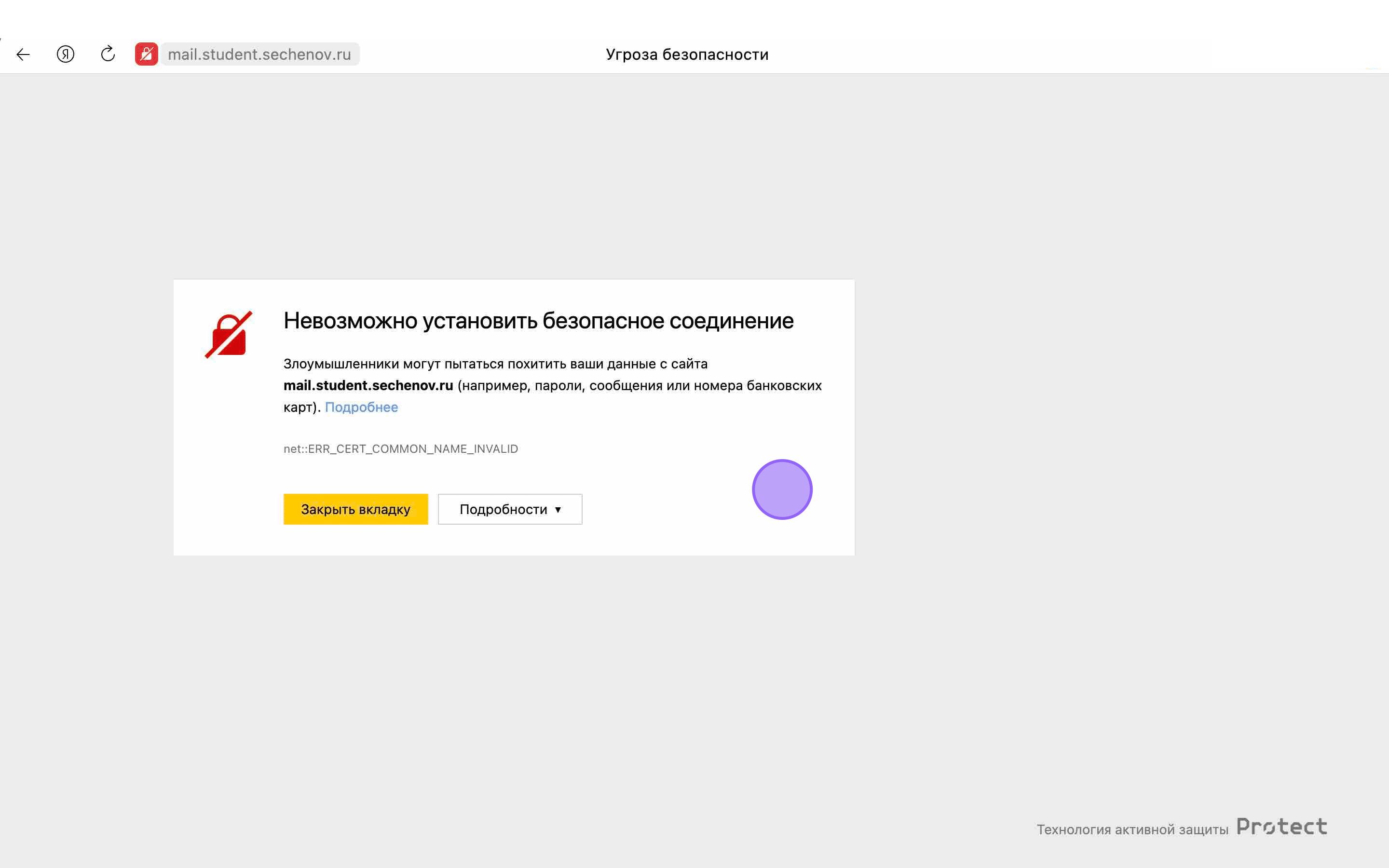
</div></div><p class="callout success">**NOTE: The first time you access this page, your browser may display a security warning. This can happen even with trusted websites.**</p>

<div id="bkmrk--6"><div>![](https://assets.guidejar.com/uploads/2F895BAC-7C71-43CA-A308-EED4287D1A39/s4g92dXSnmhRgriBHqJpLBNadHI2/000E1BB0-EBF3-415A-98D0-E4C1184F7184/annotated/1728901854427.jpeg)</div><div>  
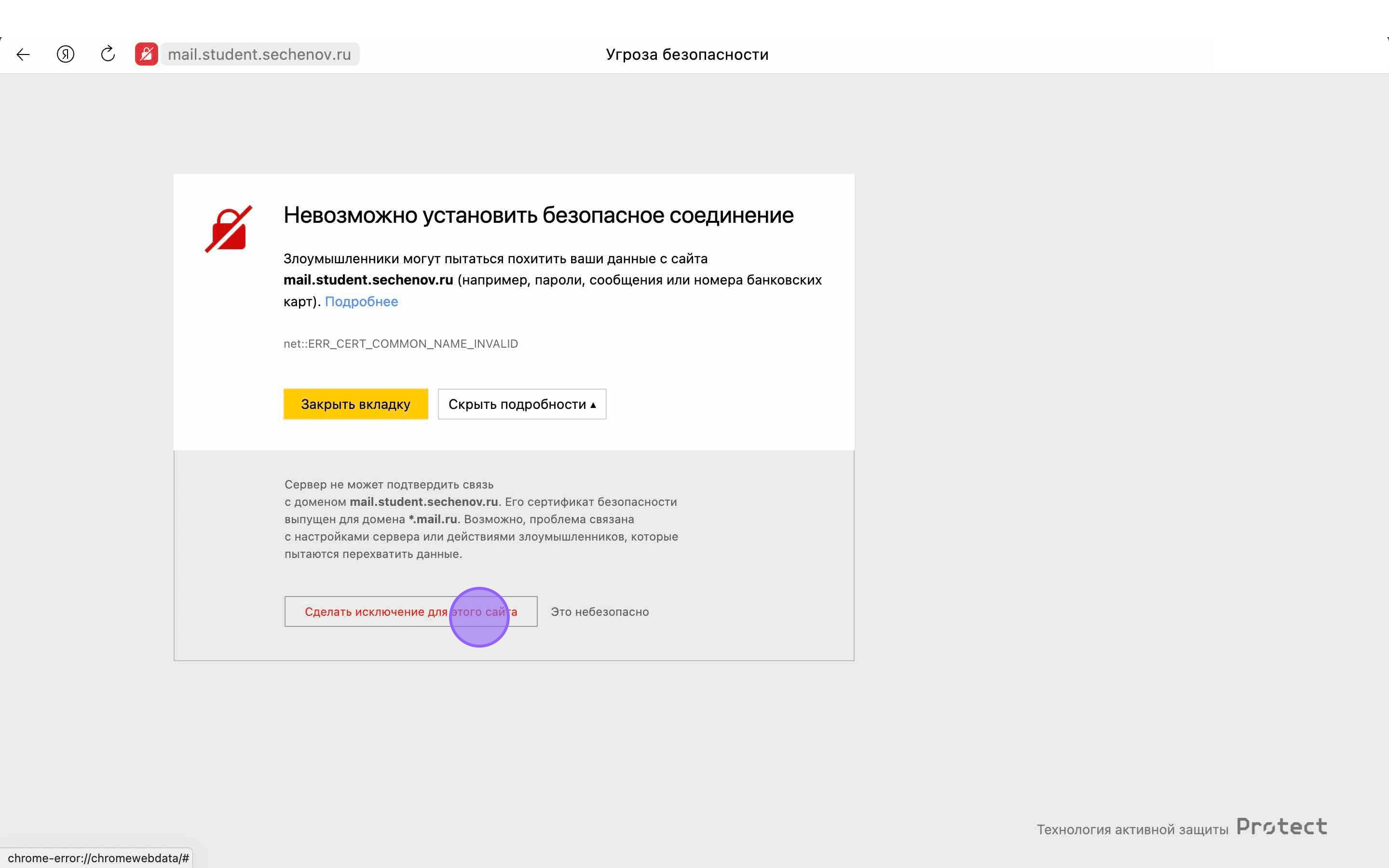
</div></div>7\. Click "Advanced" or "Details", then select "Proceed to the website" or "Add an exception" to continue.

<div id="bkmrk--7"><div>![](https://assets.guidejar.com/uploads/2F895BAC-7C71-43CA-A308-EED4287D1A39/s4g92dXSnmhRgriBHqJpLBNadHI2/DB1FF532-5B90-43EA-BDCF-33C2DD50AB57/annotated/1728901855430.jpeg)</div><div>  
</div></div><p class="callout success">**NOTE: The wording may vary depending on your browser.**</p>

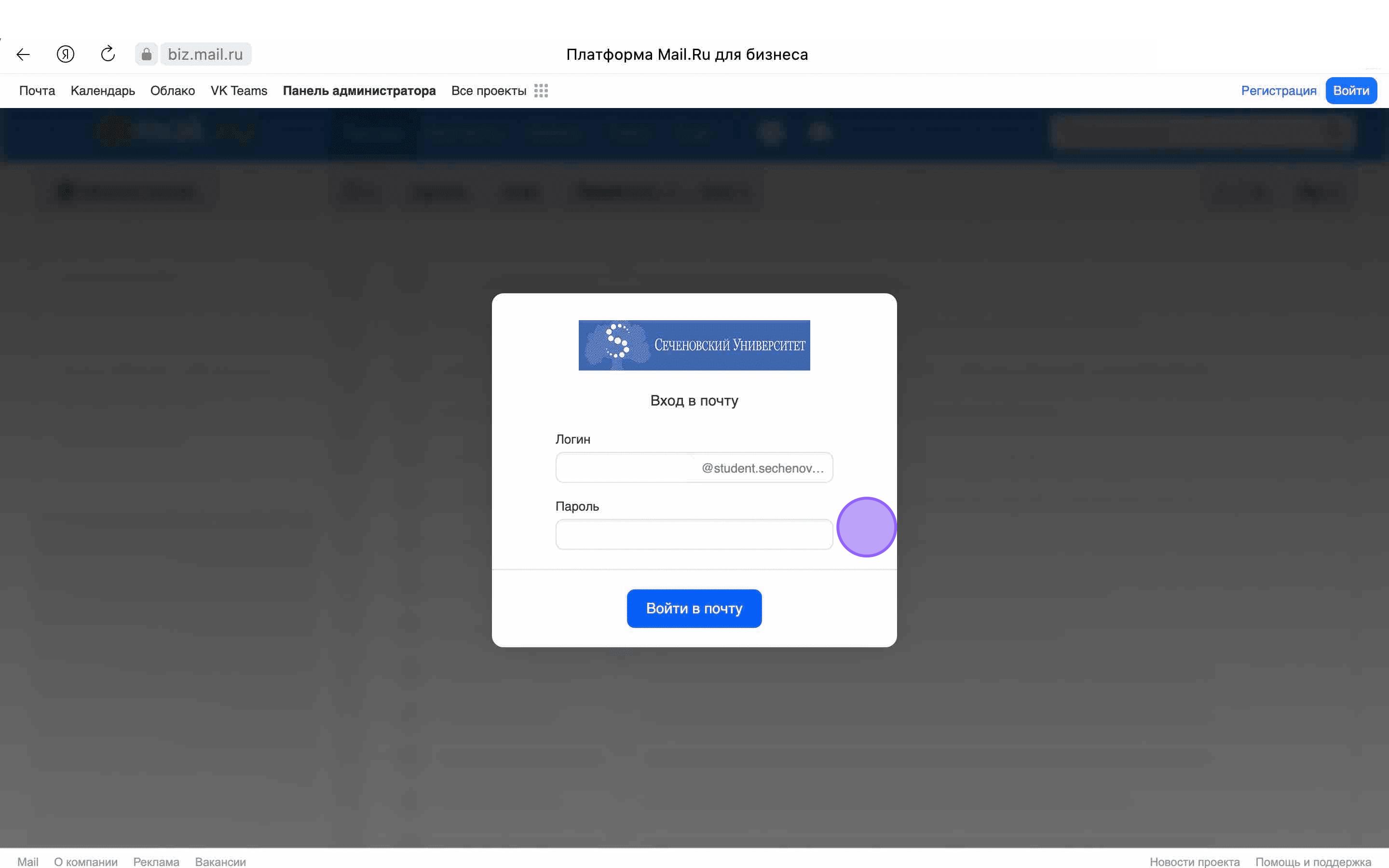
8\. After adding the site to the trusted list, the login form for **your corporate email will open.**
<div id="bkmrk--8"><div>![](https://assets.guidejar.com/uploads/2F895BAC-7C71-43CA-A308-EED4287D1A39/s4g92dXSnmhRgriBHqJpLBNadHI2/3B03F099-3A44-4BBB-B6AD-22B683BEED70/annotated/1728901855271.jpeg)</div><div>  
</div></div>9\. Enter your login and password, then click "**Login to email"**. Your login is your **full corporate email address**

<p class="callout info">For example, ivanov\_v@student.sechenov.ru</p>

<div id="bkmrk--9">[![Frame 10.png](https://s3.isu.sechenov.ru/bookstack/uploads/images/gallery/2024-10/scaled-1680-/DuVframe-10.png)](https://s3.isu.sechenov.ru/bookstack/uploads/images/gallery/2024-10/DuVframe-10.png)</div>